Neutrasearch
Find files and folders by name, path, or type. Free, open-source desktop search for Linux and Windows.
Search an index of your files and folders, filter the results, and choose a view that suits what you are looking for. Free and open-source.
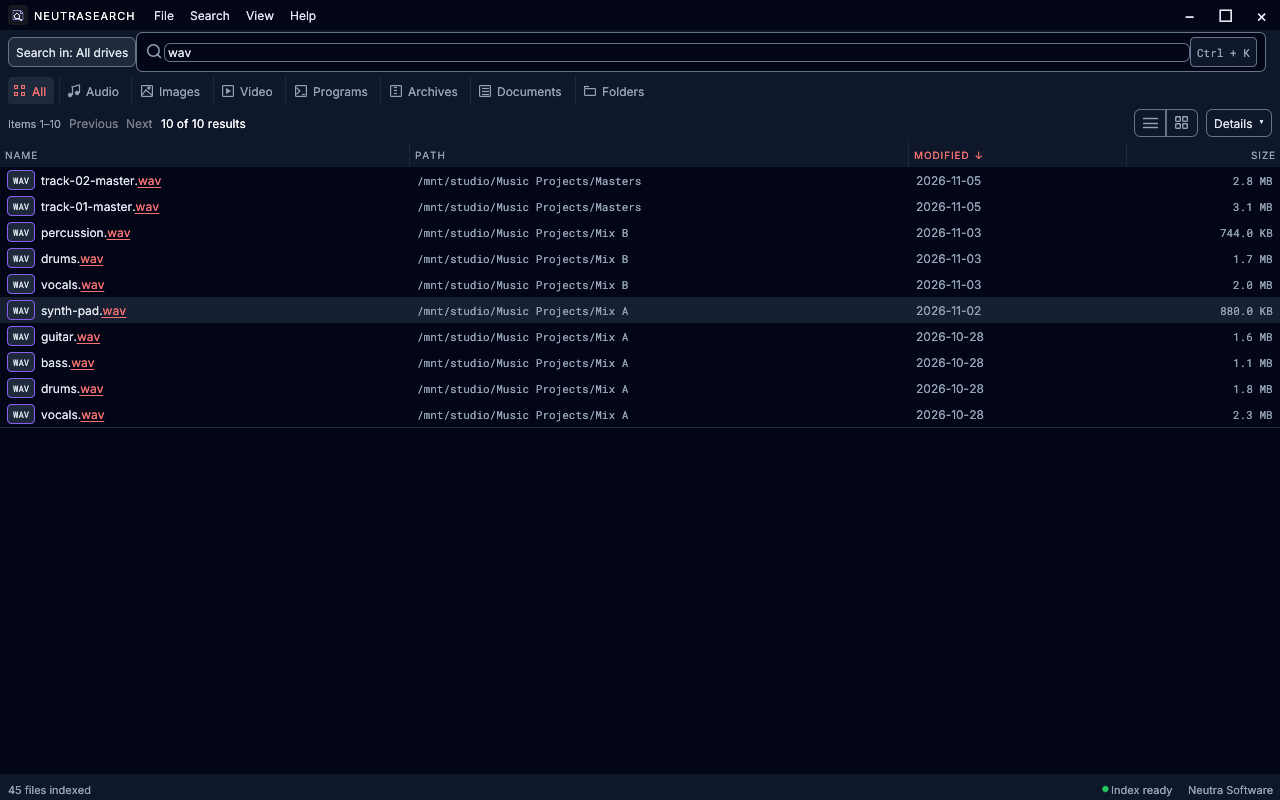
Search names and paths across your indexed drives.
Type part of a filename to find it in your index. To include folder names, choose Search > Match > Names + folder paths. Neutrasearch searches saved filesystem metadata. Download the app without creating an account.
- Filename and path search
- Free download
Neutrasearch documentation
Filter by file type, size, or location.
Choose All in the category row and clear Search > Regular expression, then combine a name with filters. Use report ext:pdf for PDF reports, kind:dir photos for matching folders, or size:>1G for items of at least 1 GiB.
- File type and size filters
- Search within a location
Neutrasearch documentation
Choose Details, List, Grid, or Treemap.
Use Details for file information, List or Grid to browse search results, and Treemap to explore the saved folder hierarchy.
- Four result views
- Folder hierarchy
Neutrasearch documentation
Choose locations and refresh your search data.
Open File > Locations and index to choose search locations and refresh your index. Keep your index private: it stores filenames, paths, sizes, and dates from your drives.
- Indexed location settings
- Index refresh
Neutrasearch documentation
Neutrasearch releases · Source and build instructions
All products